Archive for the ‘ktvtune’ Category

KTvTune 0.2

Tuesday, October 14th, 2008

This version fixes an important crash bug when trying to make multiple recordings in the same session. I never do that, that’s why it was still in there for the 0.1 release ;)

New addition is the ability for timed recordings which you can specify either by duration or by end time (see screenshot). Next logical step is to be able to schedule a timed recording.

KTvTune 0.2

Download at kde-apps.org

KTvTune v0.1

Tuesday, September 16th, 2008

Yes, the versioning has begun :) This week I realised it’s silly to put programs like this one online, but it’s also silly to keep it for myself while maybe some other poor pvr150 soul could be blessed by it. =) So, in finding a way to put it online, I thought I’d put it on kde-apps.org. Great site. But it also comes with some “discipline”. I have to state what it already does (aka keep a changelog) and what it doesn’t (oops, where’s the consistency?), give it a version, make at least some source distribution and in return I’ll probably get dumped a sh_tload of crap on my head for producing such a silly program. But in any case, I’ll have a free hosting and advertising for it. =) ;)

So in preparation, I’m making this post to wrap up a 0.1 release.

What’s changed?
I don’t remember actually =) 29 nov has been some time.. mm, let’s browse some cvs logs

  • configurable player startup delay on record to allow some buffering on disk, otherwise the player bails out on an empty file
  • debug flag so that people are not disturbed by testing UI elements ;)
  • add / delete channels (besides editing ;))
  • put everything in a kdevelop project (proj started using eclipse, but after all the crashes I simply used a console, until now)

some screenshots to close:
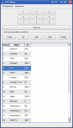

KTvTune channel edit mode
channel editing mode

ktvtune icon
my magnificent svg skillz in action for ktvtune icon ;)

Channel list reordering

Thursday, November 29th, 2007

Finally implemented this one (got tired of having to scroll/search every time I want to switch between Kanaal2 and VT4 ;) ). Instead of providing a separate setup dialog for rearranging channels I just added an editing mode to the default gui. I also got rid of my sorting proxy model which makes the model more simple yet less flexible. I think it is still flexible enough and that the previous level of flexibility was overkill. ;) The screenshot is on windows with fake data. :) Somehow my application icon got lost in the conversion. It’s crappy (programmer’s art) anyway. ;)

KTvTune channel list editing mode

Obligatory alpha screenshot

Wednesday, November 14th, 2007

KTvTune alpha screenshot

Roadmap / planned features

Wednesday, November 14th, 2007

I wrote a few points down as a way to structure my thoughts. It was never really intended to publish as a road map, but publishing gives everyone an idea where this project is heading. :)

This is a list of things I see being implemented by version 1.0. The order in the list also approximately reflects the order of implementation as basic features seem to correspond to easy implementation. :) (aside from the fact that almost everything in this app is quite trivial ;))

  1. channel setup
    • import from xawtv
    • start from europe-west defaults
    • reordering
  2. simple tuning
    • sequential tuning with mouse wheel
    • direct select with keypad, visually and physically
    • direct select with list; this is channel editor without editing func :)
  3. configurable commands
    • for viewing, recording, playing..
  4. recording
    • configurable rec path
    • scheduled recording with at
    • on the fly recording by streaming the video to file and starting a player on the output file
    • time shifting: same as above, but start paused player :)
    • somehow use vlc’s save stream option somewhere..?
  5. playback of recorded movies
    • show list using the configurable rec path
  6. transcoding
    • show list of all recordings using the the configurable rec path
    • save long lasting recordings as mpeg4 to conserve space
    • use transcode ;)